

Slack
Official integration, by Callizy
Missed calls, voicemails and texts, in your Slack channel
Connect your Slack workspace and pick a channel. Every missed call, voicemail (with transcript) and text received lands there with the contact name and a button to call back, listen or reply in Callizy.
- Plans
- Team and Business, included
- Category
- Notifications
- Tool
- Slack
Rénovations Gagnon
general
customer-calls
job-sites

CallizyAPP10:24 AM
Missed call
From: Julie Gagnon (+1 514 555-0163)
Call back in CallizyCallizyAPP10:31 AM
Voicemail
From: Marc Bélanger (+1 438 555-0127) · 42 s
Hi, it’s Marc. Is the quote ready? Call me back at the office before noon.
Listen in CallizyCallizyAPP10:46 AM
Text received
From: Nadia Roy (+1 450 555-0188)
Can I come at 3 PM instead of 2?
Reply in CallizyBoth ways, nothing to type
The team sees what is waiting without opening the dashboard. Completed calls can go there too, with the agent and the duration. Nothing goes from Slack to Callizy.
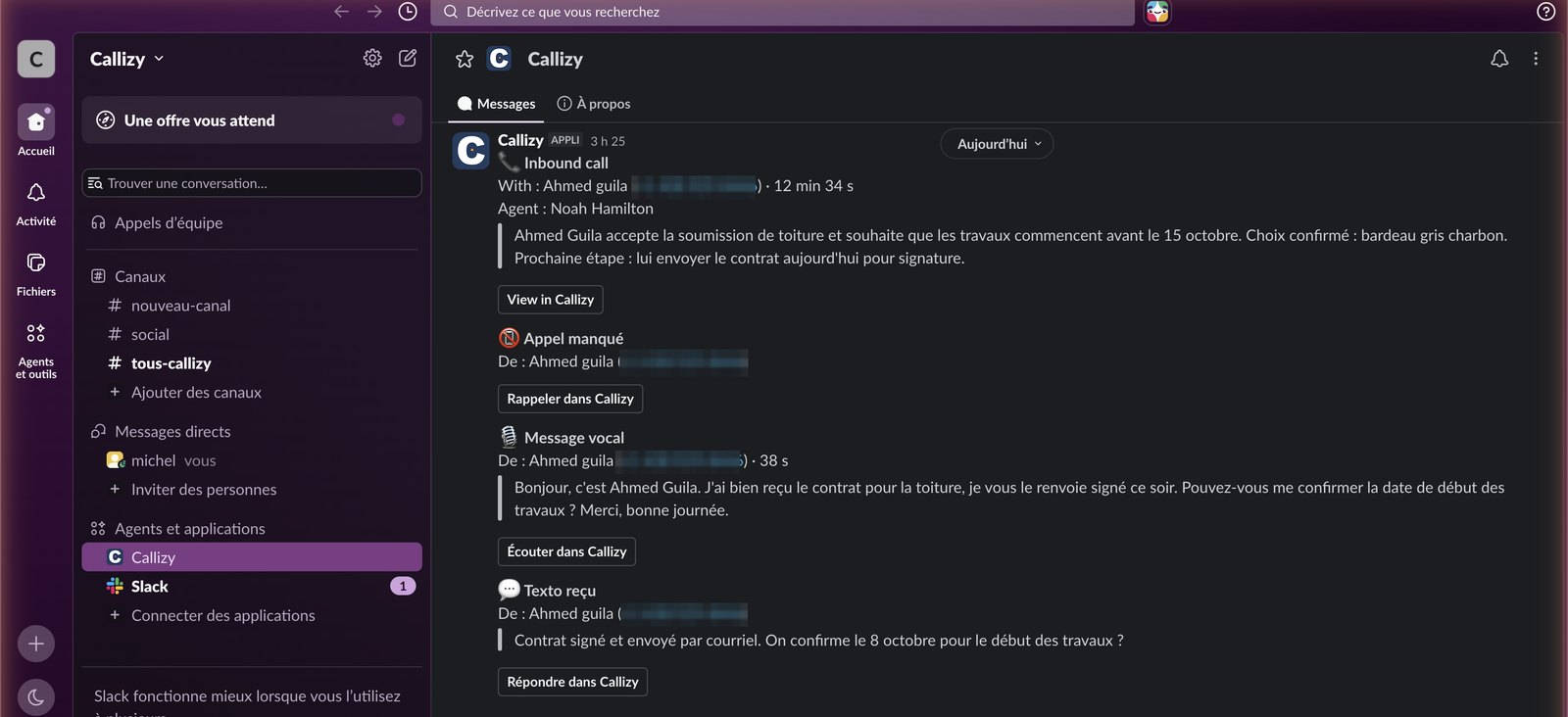
Missed call, transcribed voicemail, text received: each with its button.
A manager connects the tool once
After that, every team call is logged on its own.
Connect Slack
- 1
Open Callizy integrations
In Callizy, Configuration menu, then Integrations. Click the Slack card, then Connect Slack.
- 2
Accept in Slack
The Slack screen opens. Sign in with an admin account and accept. You come back to Callizy and see “Connected to …”. Slack asks which channel to post to: pick it on that screen. A “Callizy is connected” message lands right away.
- 3
That is it
One person connects, for the whole company. After that, every call from every team member is logged. The settings at the bottom of the panel can be changed at any time.
You choose what gets logged
In the Callizy Slack panel. A manager changes them at any time.
Missed calls
Who called, and a button to call back.
Voicemails
Who, how long, and the transcript.
Texts received
The message, and a button to reply.
Completed calls
Every answered call, with the agent and the duration. Off by default.
Frequently asked questions
You might also want
All integrations
HubSpot
Every call on the right HubSpot record, with the summary

Pipedrive
Every call as a Pipedrive call log, with the recording

Zoho CRM
Every call on the Zoho contact, playable in Zoho

Clio
Every call on the Clio matter, and its time billed

Google Contacts
Your Google contacts and your Callizy address book, always in step

Google Calendar
The AI agent books appointments in Google Calendar, during the call

Microsoft 365
The AI agent books appointments in Microsoft 365, during the call

Square Appointments
The AI agent books straight into Square Appointments

Wix Bookings
The customer calls, the booking is in Wix


Claude, ChatGPT
Callizy in your AI assistant, through the MCP server.